CoaSt ZEN Bundle with Speech
Introducing the CoaSt, ZEN, Readit Lite, and Readit Bundle, for comprehensive magnification at both distance and close-up, along with integrated text-to-speech functionality.
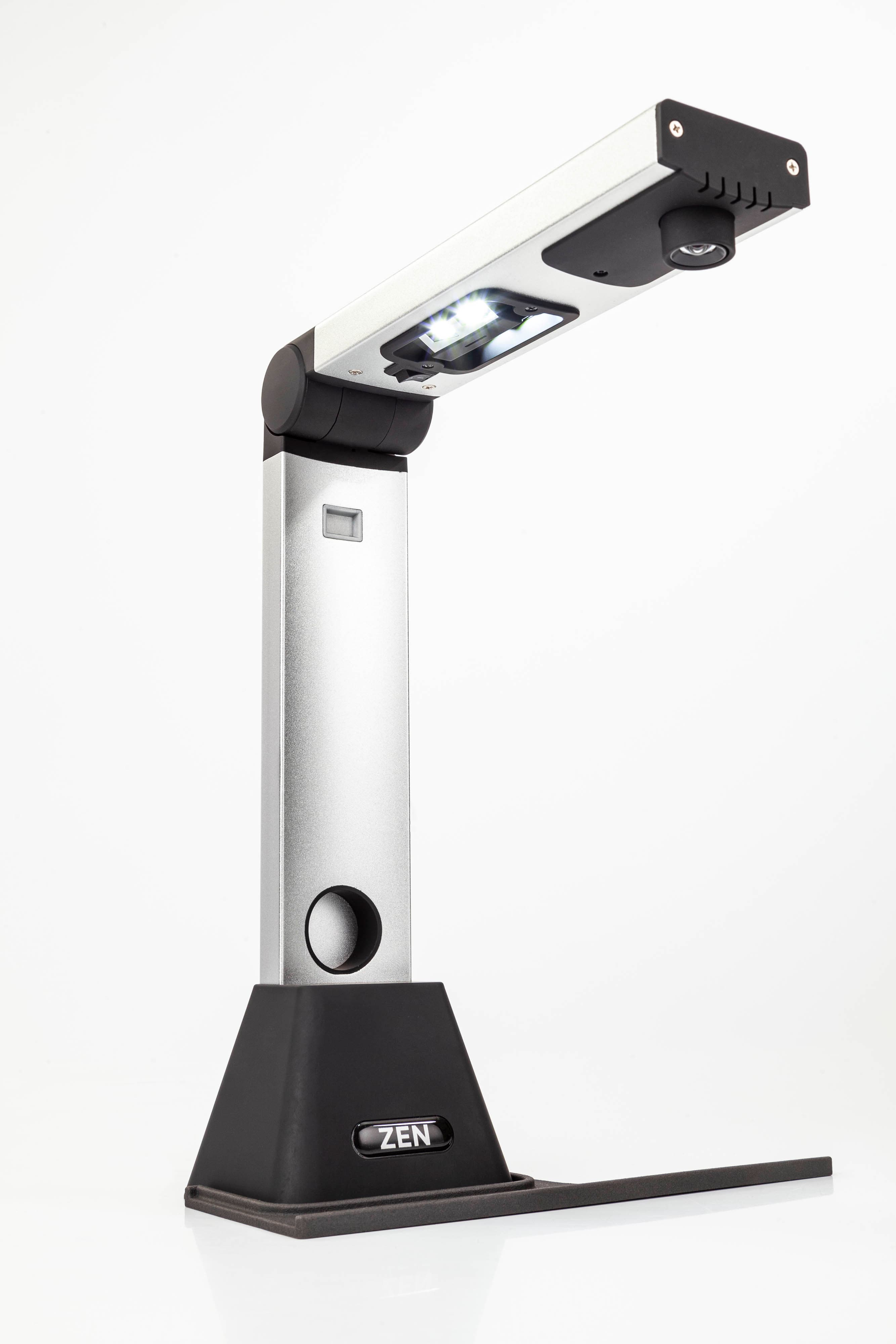
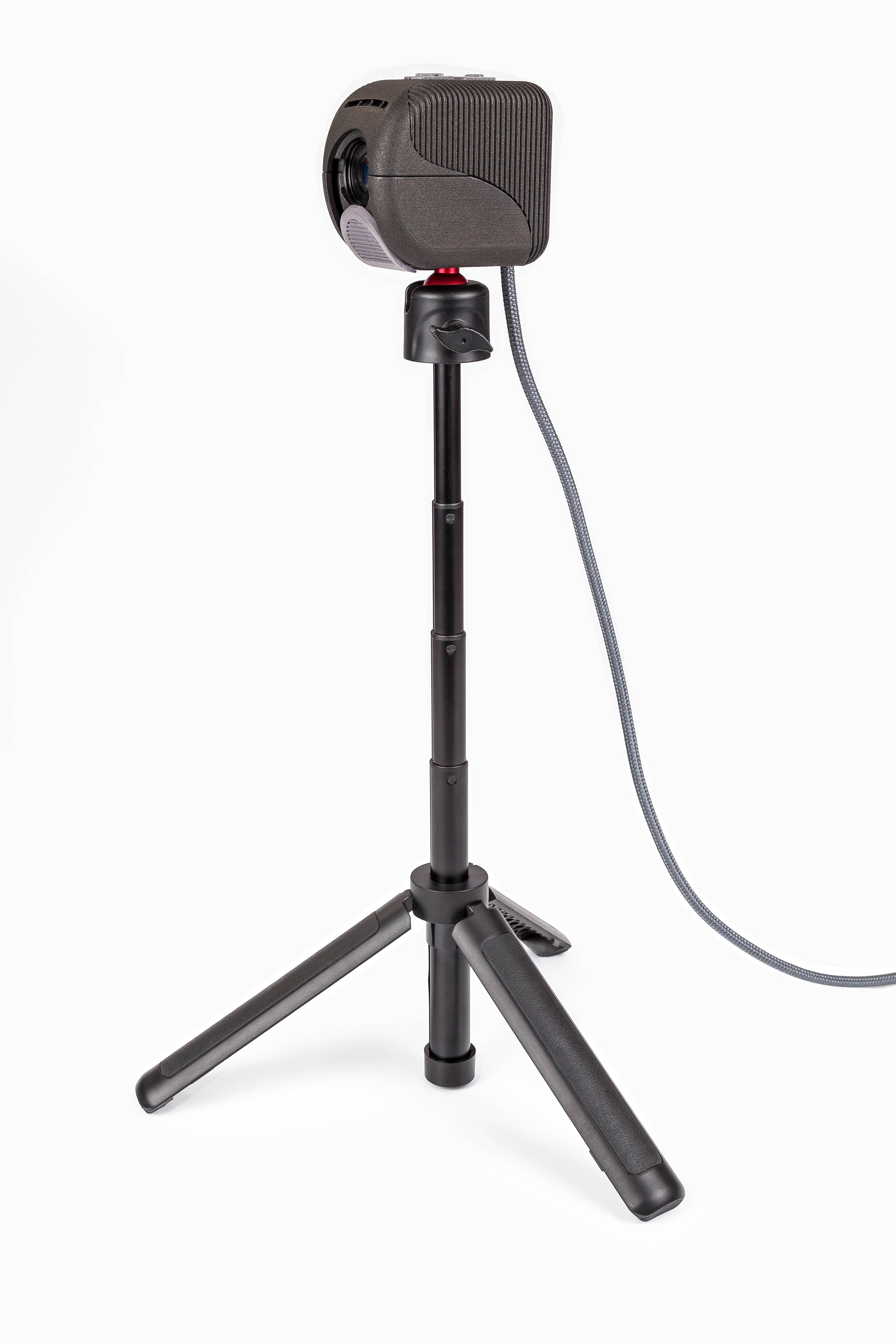
The compact and discrete CoaSt camera facilitates excellent distance viewing. The portable ZEN video magnifier enables close-up viewing with clear live image quality for easy note-taking.
Videos
CoaSt/CoaSt Duo with Readit Lite
Readit software with CoaSt, Zen and Zen Max
Key Features
- Bundle includes CoaSt camera, ZEN and Readit software
- Distance viewing with lightweight 350g CoaSt camera
- Close-up A4 document viewing with ZEN
- Text-to-speech with natural sounding voices
- 6 powerful text viewing modes
- 30+ language support with automatic detection
- Document import/export (PDF, Word, MP3)
- Multi-page capture with background recognition
Introducing CoaSt, ZEN, Readit Lite and Readit Bundle. The CoaSt camera allows for distance viewing, the ZEN close up reading and capturing of up to A4 sized documents and the Readit software adds text-to-speech functionality to both of these.
The CoaSt is a compact and inconspicuous camera that allows full access to whiteboards or projector screens when connected to a Windows computer, Android tablet or iPad. Weighing just 350g, this lightweight device boasts a 4 MP camera with an impressive 10x optical zoom. It comes with an adjustable height tripod stand. It gives business professionals and students unparalleled access to all the content they require.
Unique Features of CoaSt with Readit Software
All the features of CoaSt with Readit Lite, with the addition of all the features of the Readit software, which includes:
- OCR and TTS: Instant OCR and text-to-speech with the latest human sounding voices (at both closeup and distance)
- 6 powerful text views: Original Image (colour enhanced), Overlay, Column, Horizontal, Vertical and Word views make visually reading text in documents far more comfortable, faster and enjoyable.
- Smooth: Up to 360 frames per second when panning and auto-scrolling documents means text is very sharp and clear even at very high speeds
- Multi-page capture: High speed multi-page capture with background recognition recognises pages as quickly as they’re captured.
- Navigation and Text Search: Navigate using the familiar navigation shortcut keys and jump straight to text faster than a sighted user with a book thanks with the powerful Find function.
- Multi-language: Supports over 30 languages (included) with automatic language detection and automatic voice switching based on the language.
- Document Import: Load PDFs, Word documents, image files etc. directly into Readit for them to be recognised and reformatted in any one of the 6 text views.
- Document export: Export any document from Readit to an accessible PDF (with text font and colour enhanced), Word file, txt, rtf, MP3 (to listen to) etc.
- Print to Readit: Any software with a File -> Print function can have its document printed directly into Readit within seconds
- Screenshot OCR: Instantly capture anything on screen and have it read aloud and shown in our chosen text view
- Copy and Paste: Copy and paste documents into Readit, or copy text within Readit to paste into your text editor using standard shortcut keys
Coming soon to all platforms
- Auto pan: Further enhances speed and comfort by smoothly panning back to the beginning of the next line of text. No swiping, arrowing or mouse dragging required
Feature Table
Camera: | CoaSt | ||
Software: | Readit Lite | Readit Lite | Readit |
Software Version: | 1.1 | 1.1 | 5.6 |
Platform: | iPad / Mac | Windows | Windows |
Feature | |||
Video Stabilisation | ✖ | ✔ | ✔ |
Video De-noising | ✖ (future) | ✔ | ✔ |
Real-time Video Deskewing | ✔ | ✔ | ✖ (future) |
Video Recording (with audio) | ✔ | ✖ (future) | ✖ (future) |
Software Zoom and Focus Control | ✖ | ✔ | ✔ |
Motion Stop | ✖ (future) | ✔ | ✔ |
Dual Camera Support (CoaSt and ZEN) | ✔ | ✖ (future) | ✔ |
Distance / Self-Viewing | ✔ | ✔ | ✔ |
Quick Pan-to-Margin | ✔ | ✖ (partly) | ✖ (future) |
Document Viewing | ✖ | ✖ | ✔ |
Text-to-speech (with automatic language switching) | ✖ | ✖ | ✔ |
Document Import / Export / Software Printer / Annotations / Autocrop / Split Book Pages / Speech replacements etc. | ✖ | ✖ | ✔ |
CoaSt Table Clamp | ✔ | ✔ | ✔ |
Closeup document / object / handwriting magnification | ✖ | ✖ | ✖ |
CoaSt Duo Pivoting Table Clamp | ✖ | ✖ | ✖ |
10x Optical Zoom (distance) | ✔ | ✔ | ✔ |
8x Digital Zoom | ✔ | ✔ | ✔ |
4MP 30fps and 1080P 60 fps | ✔ | ✔ | ✔ |
Low Light Enhancement | ✔ | ✔ | ✔ |
Resolution & Frame Rate: | 1080P 60 fps |
4MP 30 fps (default) | |
Zoom: Optical | 10x optical |
Zoom: Digital | 4x minimum |
Range: | Further than someone with 20:20 vision |
Physical controls: | Zoom In / Zoom Out buttons |
Focus: | Automatic. Manual focus selectable with adjustable focus |
Compatibility: | Windows, macOS, Android Phone / Tablet (with USB 3.0 connection) |
Stabilisation: | Via Readit Lite App or Readit software (initially Windows only) |
Connection: | 1 x USB3.0 port (type A). Includes USB A to USB C adapter |
Batteries: | None. USB powered - maximum 1.85 watts while zooming |
Dimensions: L x W x D: | 85 x 50 x 262 mm |
Tripod unfolded: Minimum height: | 170 mm / 8 inches |
Tripod unfolded: Maximum height: | 390 mm / 16.9 inches |
Unfolded tripod diameter: | 240 mm / 9.4 inches |
Typical additional table width required (with 1 tripod leg behind laptop screen): | 140 mm |
Weight: | 350g / 0.8 lbs |
Desk Clamp Specifications | |
Maximum height when mounted in Desk Clamp: | 500 mm |
Clamp Dimensions: L x W x D | 195 x 70 x 75 mm |
Maximum desk thickness for clamp: | 60mm / 2.4 inches |
Castle Clamp Weight: | 420g / 0.9 lbs |
Includes: | Transport case |
Lens cleaning cloth | |
USB 3.0 extension cable - 1.8m / 6ft | |
USB-C to USB-A adapter | |
Full Readit software as well as access to Readit Lite Apps | |
USB C Hub | |
Software Features | Includes all the features of Readit Software |
Readit Lite Apps include: | |
2 colour mode | |
Auto updates | |
Focus lock | |
Image stabilisation | |
Manual focus adjustment | |
Overview mode | |
User presets | |
Optical / digital zoom selection with digital panning | |
Touch screen support | |
Image saving | |
Video recording | |